Simulated deck your own copy for 30 minutes
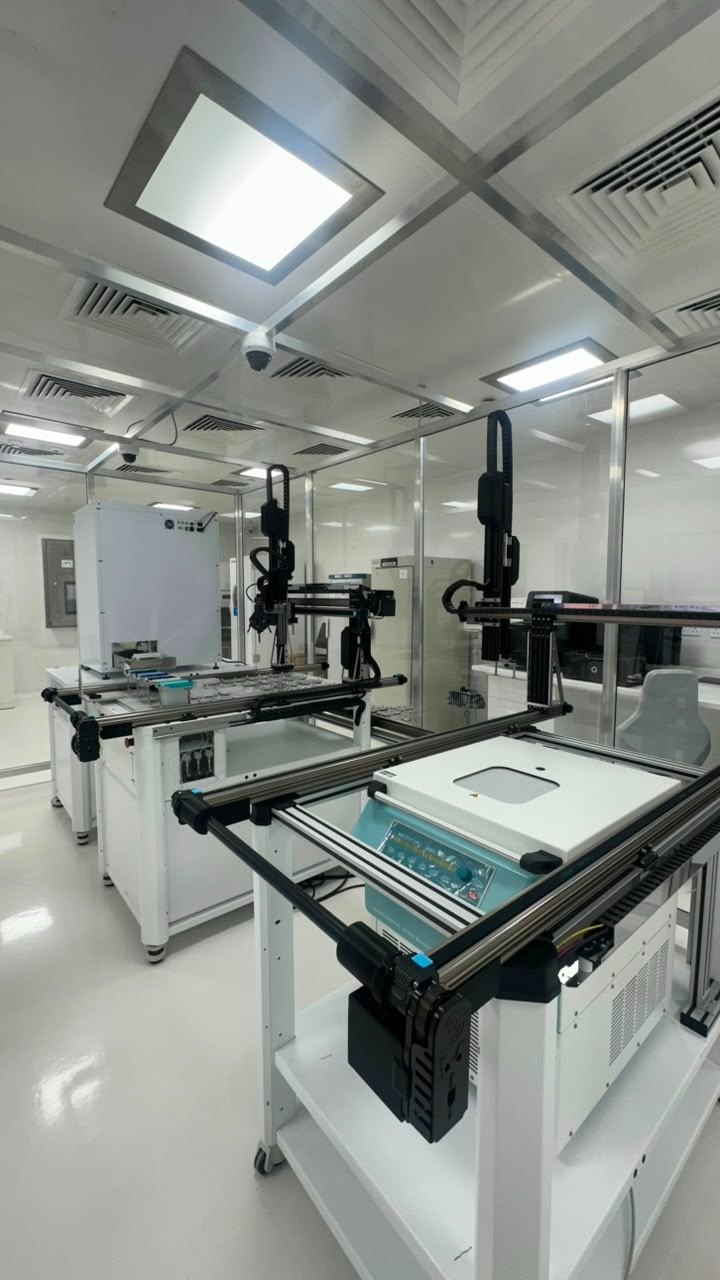
The IRENA gantry link is simulated. Runs, wells, incubator readings and sidecar jobs come from the CellOS simulation of the locked SOPs; the workcell photographs are of the real Masdar deck, and the others are Prepaire brand photography. Research use only. Not a medical device. Not a clinical release system.
Your own deck. Its clock runs and every control works on it, for you alone. It is held in memory only, never stored, and clears 30 minutes after you close this page, or when you start over.
Guide
How to use CellOS
ReferenceThe operator's handbook for the deck. It explains each screen; the screens themselves run your own copy of the deck, starting at Command.
What this is
CellOS is the laboratory execution system for Prepaire’s IRENA iPSC robot in Masdar. You declare a cell programme — which bank, which protocol, which dyes, whether a suicide switch or laser is in scope — and the software turns that into a timed, identity-safe run on the deck.
The workcell in the brochure photographs is the real deck at the IRENA site. The live telemetry is a faithful simulation of IRENA-BIO-SOP-001 and IRENA-BIO-RDP-002 so you can rehearse before the optics and the coating pass their acceptance tests. Everything here is research use.
Three fixed rules
- 1
The robot holds when an identity disagrees. If the plate barcode, incubator slot and run ID disagree, the robot holds. It does not guess.
- 2
A person decides the critical steps. RED morphology, unique material, laser, and iCasp9 all require a human. Two people for kill mechanisms.
- 3
Cells are released by an assay, not by an image. Residual undifferentiated iPSC is signed out by molecular or flow assay, not by a photograph of the well.
If you have never run a cell robot
Step by step through the screens
- 01Stay on Command. Read the live SAT-7 plate. Tap a well. Note GREEN / YELLOW / RED.
- 02Open Brochure so the glass room, gantry and incubator match the software.
- 03Open Cell Builder. Write a sentence such as “universal dendritic cells dressed with U266, suicide switch on, TRA-1-60 laser gate.” CellOS reads it as you type and quotes the words each field came from; then create the programme.
- 04Open the new programme. Dispatch to robot. Watch the run console at 8× if you are demonstrating.
- 05On Safety, try the laser. It will refuse until both operator and reviewer arm it. That is the point.